Type your name. We print it in 3D.
Keyrings, magnets and signs made on the spot, plus any part you upload as STL or 3MF. From Alicante, shipped across Spain.
Workshop status: Normal lead times. A new order would be ready in ~2–3 days, plus 2–3 days of shipping.
Nothing to pay yet: in the next step you see the 3D model and the price.
What we make
Printed here, in Alicante. Pick one and put your name on it.
Already have the file?
Upload an STL (one colour) or a 3MF (several colours) and see the price instantly. No 3D file? Create your keyring, magnet or sign.
Drop your .stl or .3mf files here
You can upload several at once: each one gets its own bed and its own number of copies. Use a 3MF if you want several colours. STL prints in a single colour. Maximum 50 MB per file.
How it works
- 01
Upload your file
STL for one colour, 3MF if you want several: we detect every colour.
- 02
We check it
We make sure it can be printed and the price updates live.
- 03
Pay with Bizum
We give you the amount and a unique reference. Payment is confirmed automatically and we start printing.
- 04
You receive it
We let you know when it is ready: pick-up or shipping.
Materials
We print in pla, petg and abs, in several colours. You pick the material and colour when you upload your file.
- PLA
Easy and affordable. Indoor use.
- Black
- Jade white
- Silver
- Blue
- Bamboo green
- Amarillo girasol
- Red
- Naranja calabaza
- Rosa fucsia
- PETG
Stronger, tolerates some outdoor use.
PETG Basic
- Black
- White
PETG Matte
- White
- ABS
Heat resistant. Needs an enclosed chamber.
- White
Brass inserts and NFC tags
Besides printing, we fit brass heat-set threaded inserts (M2, M2.5, M3, M4, M5, M6 and 1/4-20), pressed in with heat, so you can screw and unscrew as often as you like without wearing the plastic. And we embed NFC tags inside the part during the print. You place them yourself by clicking on your model: the site spots the holes where they fit, suggests the thread and length, and warns you if there is little material. Inserts from €1.09 each, NFC tags from €1.76.
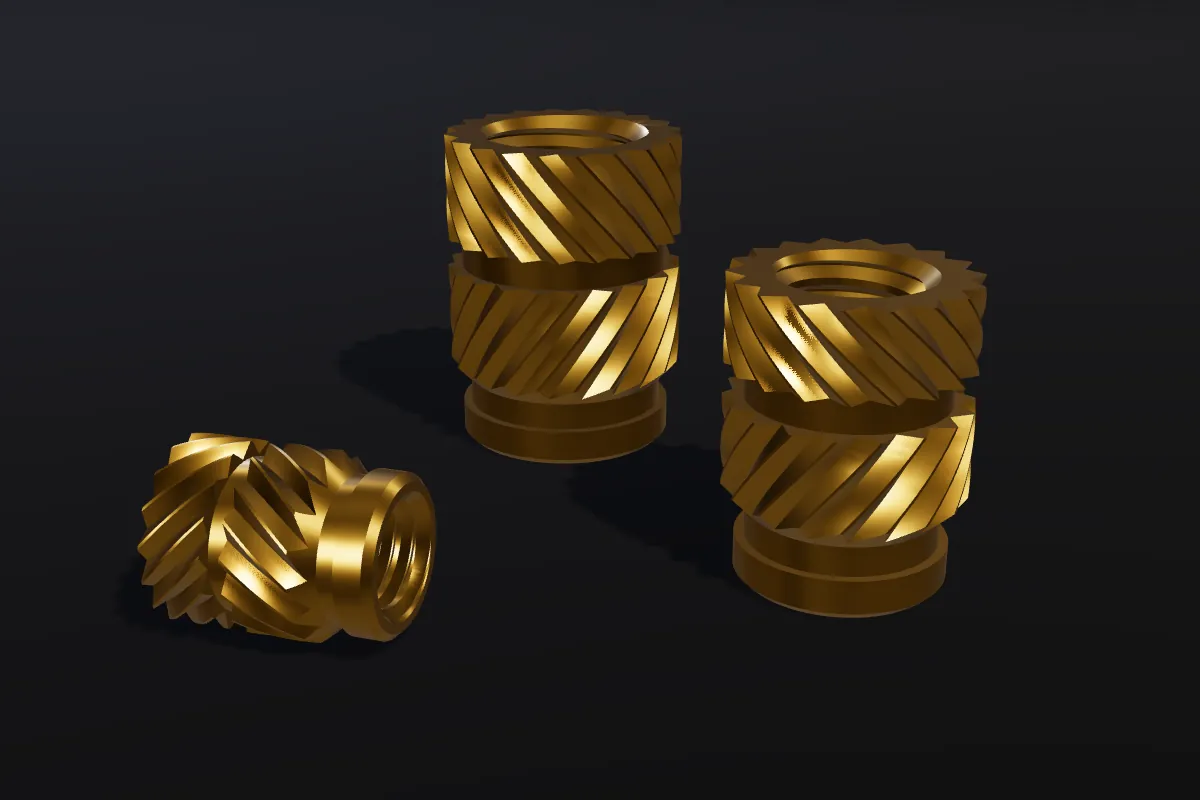
Brass threaded inserts
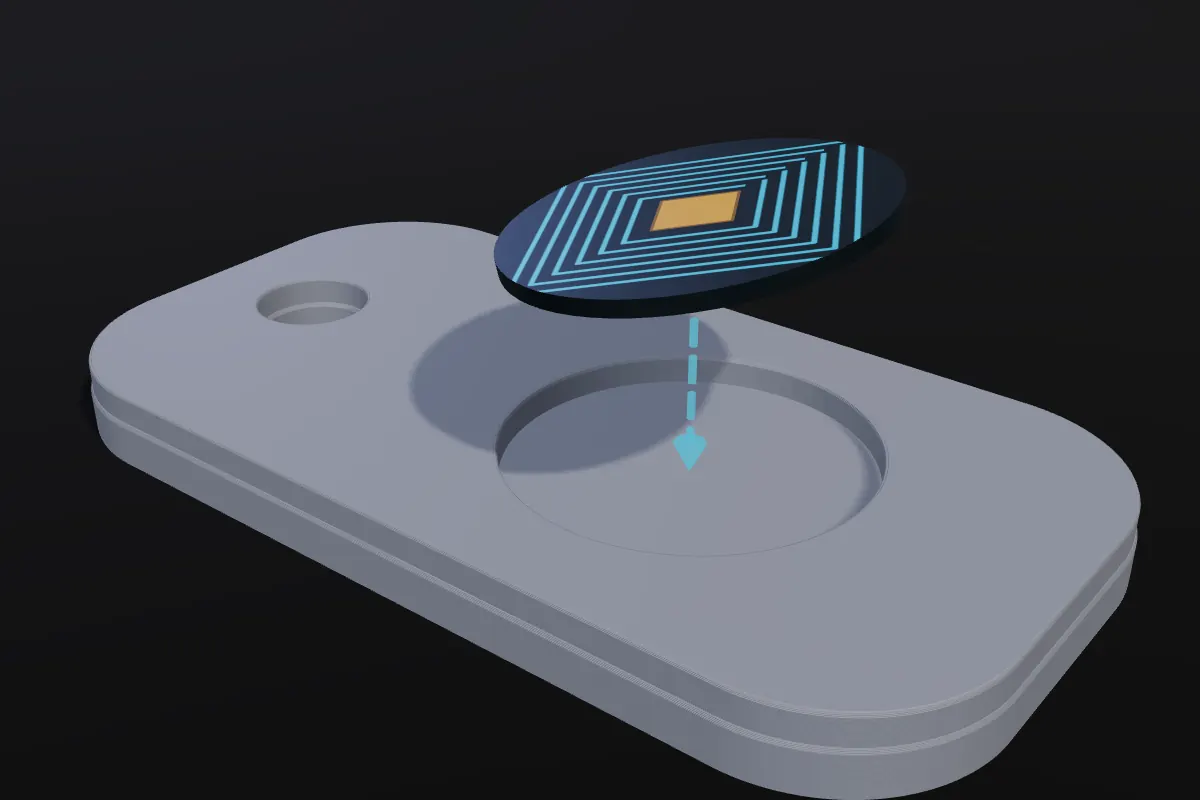
NFC tags inside the part
Good to know
- Clear pricing
- Cheap 3D printing is no magic: you pay for what your part uses (filament, printer hours and file preparation) and nothing else. Minimum order 5 €, with a discount from 10 pieces. You see the final price before paying, no surprises.
- Shipping
- We ship across Spain (mainland) by post or courier. The shipping price depends on the weight and you see it in the quote, before paying.
- Where we are
- We are based in the province of Alicante, Spain. We do not publish a fixed address: if you choose pick-up when ordering, we contact you to agree the best place and time. If you prefer, we ship it to your door.
- What we print
- Prototypes, spare parts, functional parts with threads, scale models, figures, holders, NFC keyrings and custom gifts. If you have the model as an STL or 3MF, we print it. No file? Tell us your idea and we will prepare it.
Questions
I don't have a 3D file, can I still order something?
Yes. Go to “Create”, pick a keyring, magnet or sign, type your name or upload your logo and we generate the file automatically: you see how it looks and the price instantly. For something more special, tell us your idea and we will send you a proposal with a preview and a price.
What is an STL or a 3MF?
They are the file formats of 3D models that can be printed. If you don't have one, don't worry: you can ask us to design it.
How much does 3D printing cost?
It depends on the weight of the part, the material and the print hours. Upload your file and you see the price instantly. The minimum order is 5 € and there is a discount from 10 pieces.
Do you ship all over Spain?
Yes, to the mainland by post or courier. The price depends on the weight of the order and you see it in the quote before paying.
Where are you based, can I pick up my order?
We are in the province of Alicante. If you choose pick-up when ordering, we contact you to agree the best place and time. Or we can ship it to your door.
Do you fit threaded inserts in the parts?
Yes. We press brass heat-set inserts (M2 to M6 and 1/4-20) into holes in the part with heat, so you can screw without wearing the plastic. In the configurator press «Inserts / NFC», click where you want them and you see the price instantly (from €1.09 each).
How do I know where to put the inserts?
If your model already has round holes, the configurator detects them and suggests the thread and length that fit best; when you click, the insert centres itself. If not, click wherever you want: we warn you if there is little material or you are too close to the edge.
Can an NFC tag be embedded inside the part?
Yes. We pause the print, drop the tag into its pocket and carry on: it ends up covered under the plastic. It works best on a flat face on top or at the bottom. You choose the size and the spot in the configurator (from €1.76).
Which file formats do you accept?
STL for single-colour parts and 3MF (Bambu Studio, OrcaSlicer, PrusaSlicer) for several colours or several plates.
Is the price final?
The weight is an estimate based on volume and surface. If the difference is significant once sliced, we tell you before printing; we never charge more without your OK.
How do I pay with Bizum?
When you finish the order you will see our number and a reference (for example 3DAB2CD). Send the Bizum from your bank with that reference: the page updates by itself when the payment arrives.
How do I make a multicolour file?
Assign colours in your slicer (Bambu Studio, OrcaSlicer, PrusaSlicer) and export as 3MF. When you upload it we detect every colour and you choose the filament.
My file shows warnings
Yellow ones usually print fine (the mesh is repaired when slicing). Red ones stop the print: repair the model or adjust the scale and upload it again.
What happens to my files?
We only use them to print your order and they are never shared.